
Five Letter Word Finder
Type your guess, tap each tile to match the colours Wordle gave you, then press Enter.
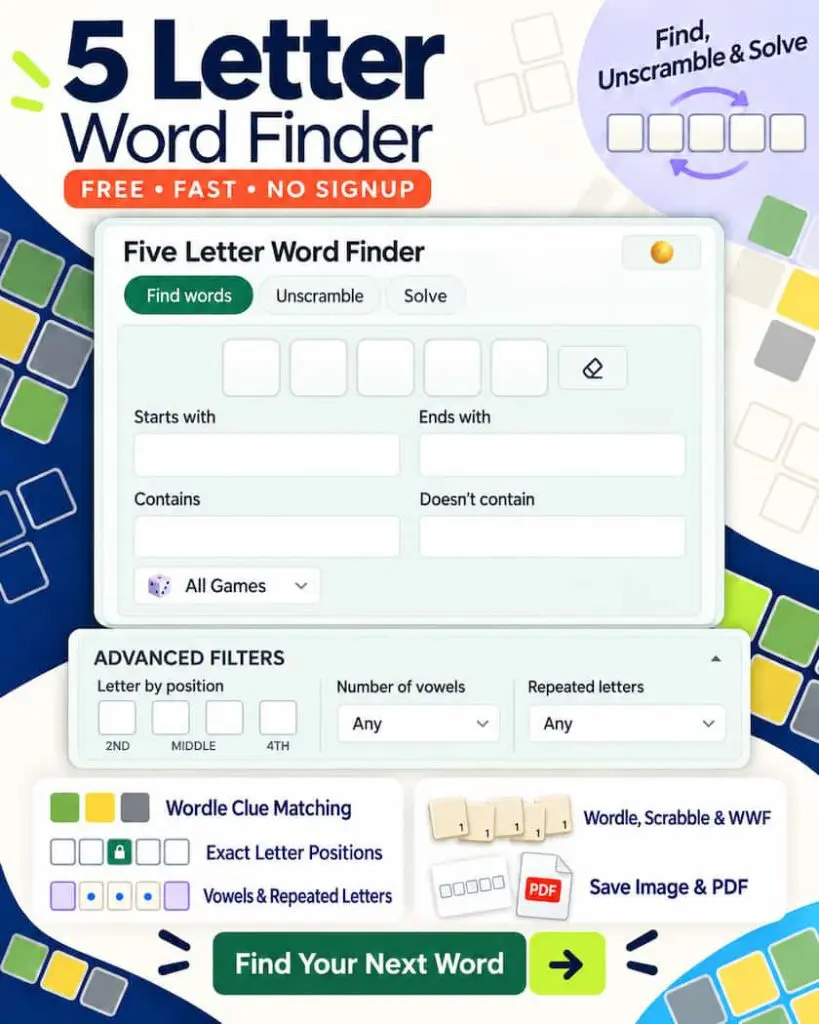
The 5 letter word finder is built to crack any five-letter word puzzle in seconds. Type the letters you already know, mark the ones sitting in the wrong place, rule out the ones that do not belong, and the finder returns every word that still fits.
It reads Wordle’s green, yellow, and grey clues the way the grid shows them, runs on the full Scrabble and Words With Friends dictionaries, and carries position and vowel filters that most word tools never offer. Whether you are chasing the daily Wordle answer, clearing a jammed Scrabble rack, or hunting a high-scoring play in Words With Friends, this finder turns a blank guess into a short, ranked list of real answers.
A Five Letter Word Finder Built for Wordle Clues
Most word tools hand you a row of boxes and a long, unsorted list. This finder works the way the games themselves work. It accepts a known letter in its exact slot, a confirmed letter whose position is still unknown, and a letter you have already ruled out, then weighs all three against a dictionary of nearly fifteen thousand five-letter words.
The result is a focused shortlist rather than a wall of possibilities, with the everyday words that Wordle favors pushed to the top. Every control below feeds the same engine, so you can stack as many clues as you have and watch the list tighten with each one.
Enter Green, Yellow and Grey Clues the Way Wordle Shows Them
Wordle gives you three signals after every guess, and the finder mirrors each one with its own field. You enter the clues exactly as the board presents them, with no need to translate the puzzle into search syntax first. This is the heart of the tool, and it is what turns a stalled Wordle into a handful of strong next guesses.
Lock Correct Letters Into the Green Tiles
The five tiles across the top stand for the five letter positions, read left to right. When Wordle turns a letter green, type it into the matching tile and the finder keeps only words that carry that letter in that exact spot. Fill the tiles you are certain of and leave the rest blank, and the finder fills the gaps for you.
Each green letter you add cuts the list sharply, because a fixed position rules out every word that does not share it.
Add Yellow Letters in the Wrong Position
A yellow letter belongs in the word, but not where you placed it. Drop those letters into the contains field and the finder returns only words that hold every one of them, in any open position.
A yellow letter is still a confirmed letter, so it carries real weight even before you know its slot. Add two or three yellows together and the list often falls to a dozen words or fewer.
Exclude Grey Letters From Every Result
The exclude field clears away every word built on a letter you have ruled out. A single grey letter often trims the list further than a green one, since it removes every word that touches that letter anywhere. Feed each dead letter into the exclude field as the puzzle reveals it, and the remaining words stay free of choices you already know will fail.
A green C in the first tile, a yellow R in contains, and a grey S in exclude returns a tight set led by CRANE, CRAVE, and CRYPT.
Find 5 Letter Words by Letter Position
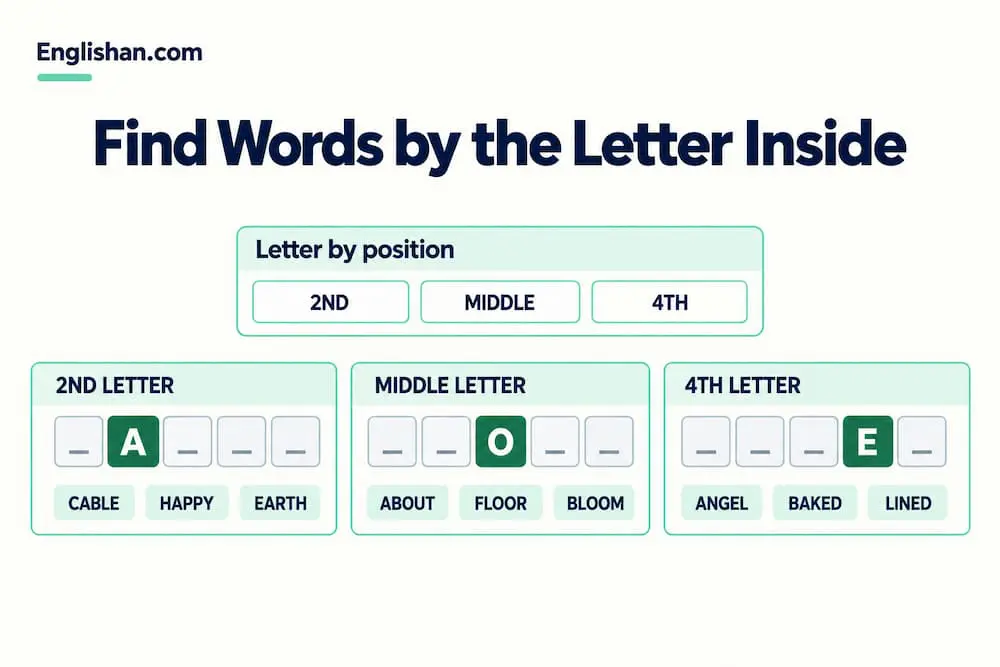
This is the control that sets the finder apart, and the one almost every rival tool leaves out. Beyond the first and last letter, the 5 letter word finder lets you fix a single interior letter to an exact slot.
The position boxes target the second, middle, and fourth letters on their own, so you can search for a word with one known inside letter without filling the whole tile row.
Set A in the second box and the 5 letter word finder returns words such as CABLE, EAGLE, and MAYBE. Drop O into the middle box for ABOUT, FLOOR, and BLOOM. Place E in the fourth box for ANGEL, BAKED, and LINED.
Each box works on its own or alongside the others, so you can pin two interior letters at once and watch the list collapse to a short, confident set. When a Wordle green lands in the middle of the word, this is the fastest path to the answer, and when you are building a themed word list, it is the cleanest way to gather every word that carries a letter in one spot.
Filter Five Letter Words by Vowels and Repeated Letters
Vowels decide the shape of a five-letter word, and the 5 letter word finder lets you set exactly how many a result may hold, from none to four. The count is a precise filter rather than a rough guide, so it carves a long list down to the words that match the pattern you are chasing.
- Two vowels: the everyday band most Wordle answers fall into, ideal for a safe guess.
- Three vowels: fuller words like HOUSE, MEDIA, and NOISE that slip past a two-vowel guess.
- Four vowels: the rare, vowel-packed set such as AUDIO, ADIEU, and QUEUE that cracks vowel-heavy frames and empties a vowel-clogged rack.
A second switch handles repeated letters. Allow repeats when the answer might double a letter, the way APPLE and ERROR do, and block them the moment you know all five letters differ.
That one toggle frequently halves a stubborn list and saves a wasted guess on a word that was never possible.
Switch Between the Wordle and Scrabble Dictionaries
The same finder runs on different word lists, and a single tap matches the results to the game in front of you. This keeps obscure words out of your Wordle guesses while still giving you the full tournament vocabulary when points are on the line.
Wordle Mode for Everyday Answers
Wordle mode limits the results to the common words the puzzle draws its answers from. You never wade through tournament-only entries that the New York Times would not use, so the shortlist reads like guesses you would actually type. Paired with the common-words sort, this mode keeps real answers at the top where they belong.
Scrabble and Words With Friends Mode for the Full Dictionary
Switch to game mode and the 5 letter words finder opens the complete dictionary, where valid words run far past everyday speech. Words like ZOOID and AALII score in Scrabble even though they rarely come up in conversation. The two games share most of their vocabulary but value letters differently, so the score column lets you weigh each play before you commit your tiles.
Unscramble Letters Into 5 Letter Words
When you hold a set of letters with no pattern to anchor them, the 5 letter words finder rebuilds every five-letter word those tiles can spell. Enter the rack and the finder lays out each valid arrangement, ranked so the strongest plays surface first. The letters A, E, L, S, and T return LEAST, SLATE, STALE, STEAL, TALES, and TESLA, which is the moment a stuck Scrabble turn becomes a scoring one.
It works just as well for daily anagram games and for breaking a tricky rack down into the words hiding inside it.
Sort Words by Scrabble Score, Vowels or Common Use
The sort control reshapes the list for whatever you are playing, so the words you want sit at the top instead of buried in the middle. Sorting is part of the search, not an afterthought, and the right order often points you straight at the answer.
- Common words first for Wordle, where the solution is rarely obscure.
- Scrabble score for the highest-value play on the board.
- Most vowels for untangling an awkward, vowel-heavy rack.
- A to Z for a quick scan when you are looking for one specific word.
Copy, Share or Save Your Word List
A finished search does not have to stay on your screen. The finder gives you three ways to keep your results or hand them to someone else, which no plain word tool offers together.
Copy the Whole List in One Tap
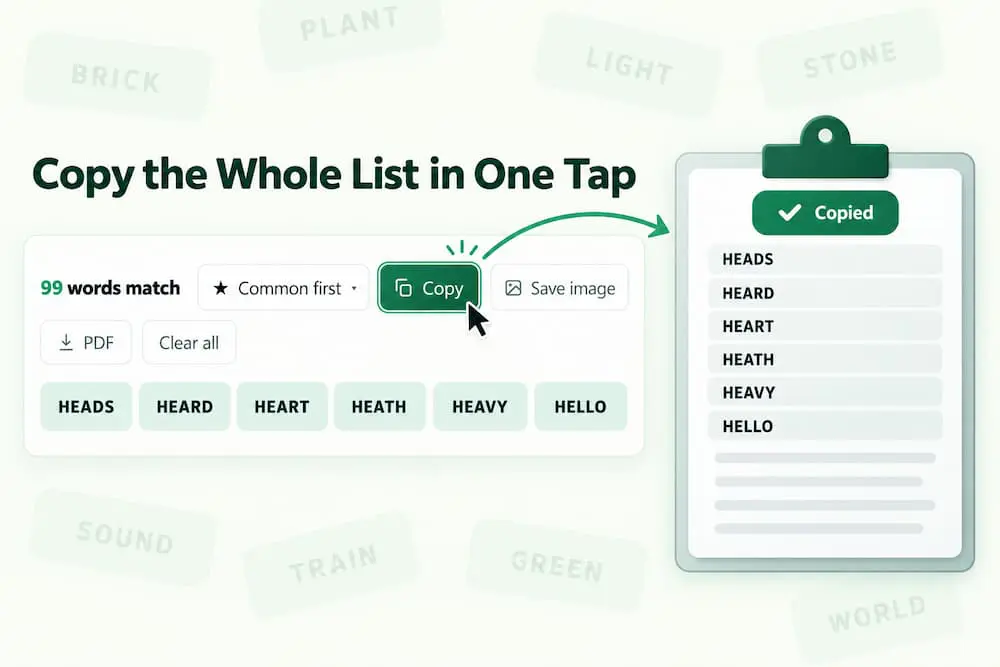
One tap copies the full result list under a tidy heading, ready to paste into a message, a note, or a game chat. There is no selecting line by line and no losing your place halfway down a long list.
Share a Link That Reopens Your Search
Share a link and your friend lands on the exact same search, with the same letters, the same filters, and the same results already in place. They start from the answer instead of rebuilding your query from scratch, which makes it effortless to compare notes on the day’s puzzle.
Generate a Word Card to Post Anywhere
The finder builds a ready-made image card from your search, sized for social posts and group chats. It travels as a crisp picture rather than a block of text, so a shared result looks deliberate wherever you drop it.
Why This 5 Letter Words Finder Outperforms Every Other Word Tool
Set side by side with the finders that rank for the same searches, this tool does more at every step. The closest rivals stop at three text boxes and a list, while this one reads the game, ranks the answers, and lets you take them with you.
- It maps Wordle’s colors directly to green tiles, a contains field, and an exclude field, so clues go in as the grid shows them.
- It pins any interior letter to the second, middle, or fourth slot, a filter the leading finders simply do not have.
- It controls vowels precisely from none to four, and blocks or allows repeated letters on demand.
- It switches dictionaries for Wordle, Scrabble, and Words With Friends without leaving the page.
- It ranks results by common words, score, or vowels, instead of dumping an unsorted block.
- It shares three ways through a copy button, a reopenable link, and an auto-built word card.
- It protects the puzzle by returning matches, never the single Wordle answer, so the game stays yours to solve.
Solve Today’s Wordle Step by Step
Open with a word that spreads common letters across five different slots, then read the colors back into the 5 letter words finder. Type your greens into the tiles, your yellows into the contains field, and your greys into exclude, and the 5 letter word finder narrows the list to the words still in play.
Sort by common words so the likeliest answers rise to the top, add each new clue as the next guess reveals it, and the finder walks you from a blank board to the daily answer in a guess or two.
Because it shows every match rather than the lone solution, you stay the one solving the puzzle.
Win More at Scrabble and Words With Friends
For tile games, switch the dictionary to full game mode and lean on the score sort to surface the heaviest play your letters allow. Hold an S for a hook rather than spending it on a point or two, since a well-placed S can build two words at once.
When your rack jams with vowels, the vowel filter and the unscramble mode together find the word that clears the clutter and keeps your strongest tiles in reserve for a bigger turn.
Tips to Find 5 Letter Words Faster
A few habits make every search quicker and every guess sharper. Each one leans on a control the finder already gives you.
- Lock your green letters into the tiles before anything else, since fixed positions cut the list hardest.
- Send each ruled-out letter straight to the exclude field instead of guessing around it.
- Switch the sort to common words while solving Wordle, where the answer hides among everyday words.
- Set the vowel count to two when a search runs long, since most five-letter words sit at exactly two.
- Use the interior position boxes the moment a green lands in the middle of the word.
FAQs
Type the letters you have placed correctly into the position tiles, then add any other letters you know belong in the word to the contains field. The finder returns every five-letter word that holds them all, narrowed further by anything you place in the exclude field.
Yes. It reads the same green, yellow, and grey clues Wordle gives you, with known positions in the tiles, present letters in contains, and missing letters in exclude, then lists every word that fits.
No. It returns every word that matches your clues rather than the single solution, so the puzzle stays yours to crack. You see the possibilities and make the call.
Yes. Switch the dictionary to full game mode and the finder returns valid plays for both, with a score column so you can weigh each one. The two games value letters differently, and the finder accounts for that.
Use the interior position boxes to pin a letter to the second, middle, or fourth slot, or the tiles to fix the first or last. You can combine several positions at once to narrow the list to a few words.
Yes. The vowel filter sets an exact count from none to four, so you can pull two-vowel everyday words, three-vowel words like NOISE, or the four-vowel set such as AUDIO and ADIEU.
Yes. Switch to unscramble mode and enter your loose tiles, and the finder rebuilds every five-letter word those letters can spell, ranked with the strongest plays first.
Yes, in three ways. Copy the whole list in one tap, share a link that reopens your exact search, or generate an image card to post in a chat or feed.
Yes. The finder is built for the phone, with large tiles, fast results, and a dark mode for late-night play.
The finder draws on a curated set of close to fifteen thousand five-letter words, covering every word the major games accept while flagging the most common ones so real Wordle answers stay near the top.