

A smartwatch on your wrist and a supercomputer in a national laboratory work on the same principle: a processor takes in data, processes it, and returns a result. Everything else about them differs, from size and speed to price and purpose. The types of computer separate along exactly those lines, and once you know the twenty of them, you can place any machine you meet.
Types of Computer
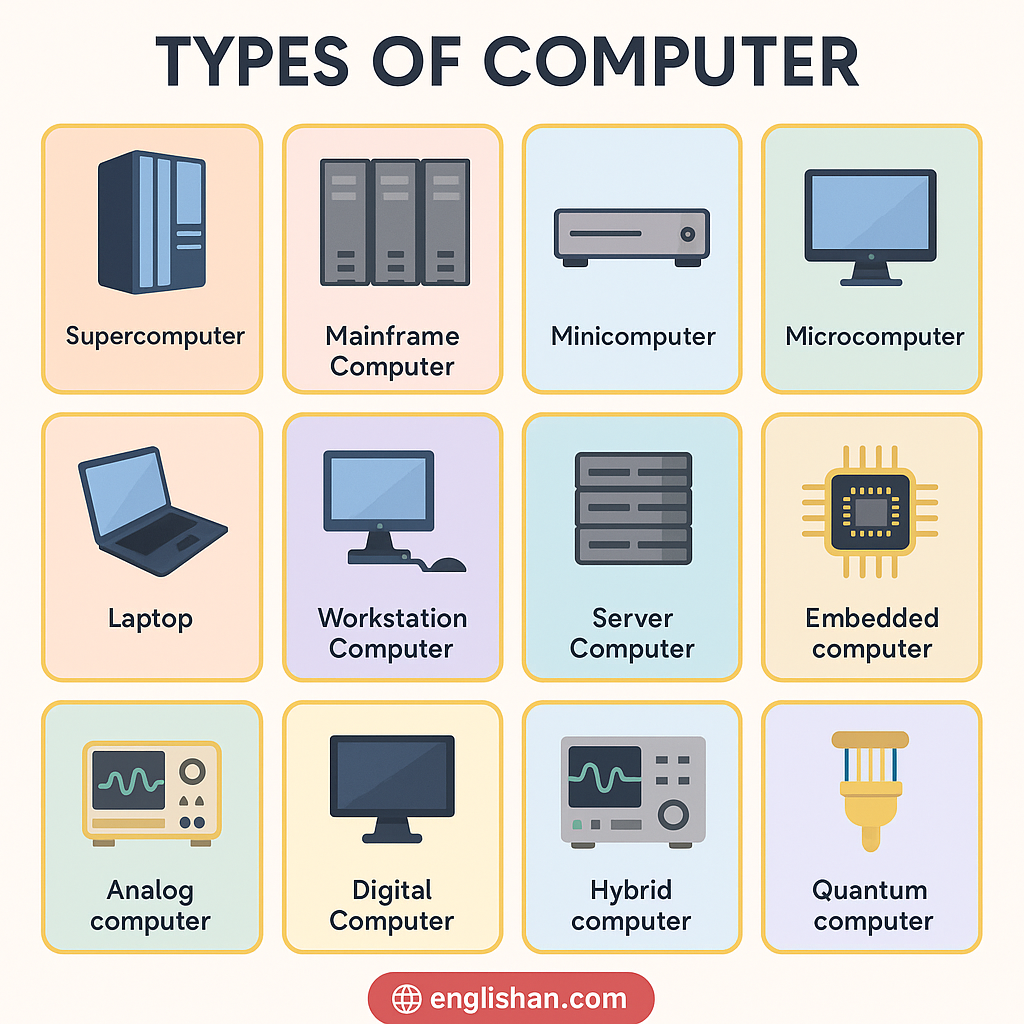
| Type | What it is |
|---|---|
| Supercomputer | The fastest class, built for science at national scale |
| Mainframe | The central business machine behind banks and airlines |
| Minicomputer | The mid-size class of the 1960s, now mostly historical |
| Microcomputer | Any computer built around a single microprocessor |
| Analog computer | Measures continuous signals instead of counting digits |
| Digital computer | Works in binary, as nearly every modern machine does |
| Hybrid computer | Reads analog signals and processes them digitally |
| Desktop | The fixed tower and monitor on an office desk |
| Laptop | The folding, battery-powered portable |
| All-in-one | A full computer built inside its own monitor |
| Tablet | A touchscreen slab between phone and laptop |
| Smartphone | A pocket microcomputer with a radio |
| Wearable | A computer worn on the body, like a smartwatch |
| Handheld | Scanners, PDAs and portable game systems |
| Workstation | A reinforced desktop for engineers and film editors |
| Server | A machine that answers requests from other machines |
| Embedded computer | A small computer built inside another product |
| Quantum computer | An experimental machine that computes with qubits |
| Gaming computer | A desktop tuned for graphics above all else |
| Single-board computer | A whole computer on one small circuit board |
Classification of Computers
Computer scientists divide these twenty in three standard ways. The first way goes by size and power, from the supercomputer down to the microcomputer. The second way goes by data handling, and there machines fall into analog, digital and hybrid. The third way goes by purpose. A general purpose computer, like your laptop, runs any program you give it. A special purpose computer, like the chip inside a washing machine, runs one job for its whole life.
The everyday names you know best, such as desktop, laptop and smartphone, are not separate classes at all. Each one is a microcomputer in a different body, which is why an honest count of twenty needs the classes and the forms named side by side.
Types of Computer According to Size
Size divided computers before anything else did, and students still learn these four classes before any others. They run from the room-filling supercomputer down to the single-chip microcomputer, with the mainframe and the minicomputer between them. Size here means more than physical bulk, since each step down the scale trades raw power for lower cost and wider ownership.
Supercomputer
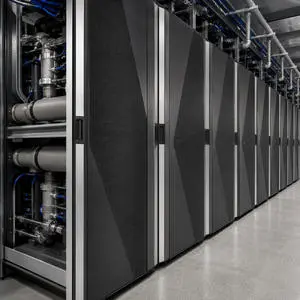
A supercomputer is the fastest and largest type of computer, built for problems no other machine can finish in a human lifetime. The current leader, El Capitan at Lawrence Livermore National Laboratory, performs about 1.7 quintillion calculations per second. A machine at this scale fills a hall the size of a basketball court and draws as much electricity as a small town.
Governments and research institutes own nearly all of them. They forecast weather, model the climate, simulate nuclear tests and screen new drugs. You never sit at one, but you meet their output every time you check tomorrow’s forecast.
Mainframe Computer
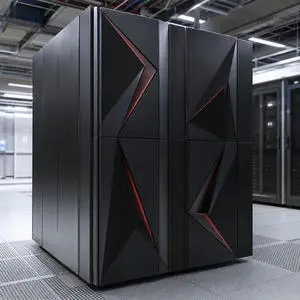
A mainframe is the heavy central computer that large organisations trust with their core records. Banks, airlines, insurers and tax authorities run them because a mainframe processes thousands of transactions every second without stopping. IBM’s z16 line leads the current generation.
Reliability separates the mainframe from every other type. These machines run for years without a restart, and their software traditions go back to the 1960s. Every time a card payment clears or a flight booking confirms, a mainframe somewhere did the work.
Minicomputer
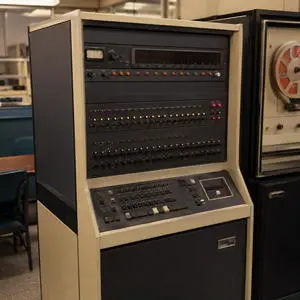
A minicomputer is the mid-size class that filled the gap between mainframes and personal machines from the 1960s to the 1980s. The most famous, the DEC PDP-11, brought computing to universities and factories that no mainframe budget would reach.
Production of true minicomputers ended decades ago. Servers and personal computers took over their work, and the word survives in textbooks and exams rather than in catalogues. Textbooks keep the class anyway, because the size-based classification makes no sense without its middle step.
Microcomputer
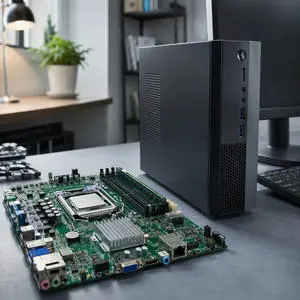
A microcomputer is any computer built around a single microprocessor chip, and that definition takes in almost every machine you have ever touched. The desktop, the laptop, the tablet and the smartphone all fall inside this one class.
When the first microcomputers reached homes in the late 1970s, an entire computer on one chip counted as a breakthrough. Today that design comes as standard, which is why the everyday forms further down all trace back to this class.
Types of Computer Based on Data Handling
For the second division, size does not count at all: what decides the group is the kind of signal a machine processes. An analog computer measures continuous physical quantities, a digital computer counts in binary digits, and a hybrid computer converts one kind into the other. Every computer ever built fits one of these three groups, and the classic exam question about the three main types of computer points at exactly this division.
Analog Computer
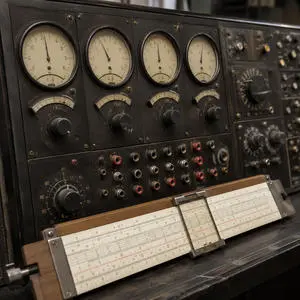
An analog computer works with continuous physical signals, such as voltage, pressure or rotation, instead of digits. It measures rather than counts. A mercury thermometer, a slide rule and an old car speedometer all compute this way, and early flight simulators ran on room-sized analog machines.
Digital machines have replaced analog computing almost everywhere, because digits store better and never drift. A few laboratory instruments still work on analog principles, and the class remains in every classification because the distinction defines its two neighbours.
Digital Computer
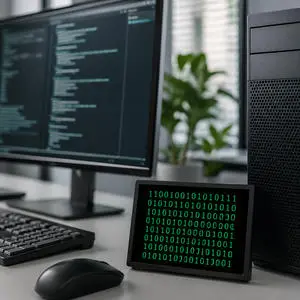
A digital computer represents everything, from numbers to photographs, as binary digits: ones and zeros. Nearly every computer made today works this way. Accuracy explains the takeover. A digital value copies perfectly, stores indefinitely and never blurs, while an analog signal degrades a little with every pass.
Since laptops, servers, mainframes and phones all qualify, “digital computer” names a way of working rather than a machine you can point at in a shop.
Hybrid Computer
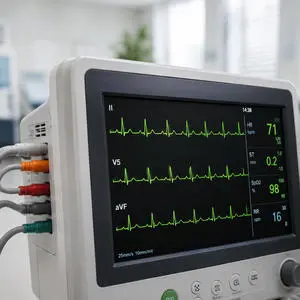
A hybrid computer joins the two halves: it reads continuous analog signals and processes them digitally. Hospitals depend on the combination. An ECG monitor takes the analog electrical signal of a heartbeat, converts it, and analyses it as digital data. A fuel dispenser does the same with fuel flow, converting a physical stream into a priced reading.
Wherever a machine must sense the physical world and calculate on what it senses, a hybrid computer does the sensing and the sums.
Types of Computer We Use Every Day
Seven forms of the microcomputer fill homes, schools and pockets, and all seven share the same single-chip design inside. The real differences show up in the body: how much power fits inside it, how easily it moves, and how you work with it. Each form trades some of one for more of another, which is why a single home can hold four or five of them without anyone thinking of them as the same machine.
Desktop
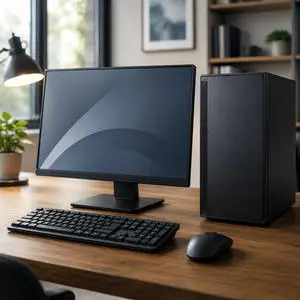
A desktop is the fixed form: a tower case, a separate monitor, a keyboard and a mouse. It gives the most performance for the money, because a large case cools better. Every one of the parts of a computer inside the tower can also be replaced or upgraded on its own. Offices, schools and gamers keep buying desktops for exactly that reason, decades after portables took over the sales charts.
Laptop
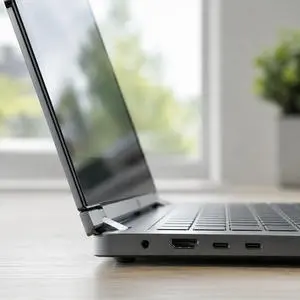
A laptop folds the screen, keyboard, battery and computer into one portable case. It runs for hours away from a socket and now outsells the desktop worldwide. The trade shows up in heat and upgrades, since a thin case limits both. For most people most of the time, the convenience wins, which is why the laptop became the standard personal computer of work and study.
All-in-One Computer
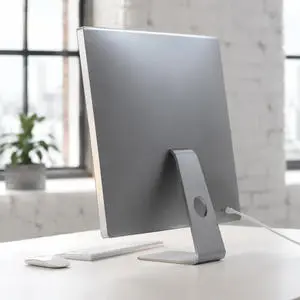
An all-in-one builds the entire computer into the back of its own monitor, with Apple’s iMac as the best-known example. It needs one cable and no tower, which keeps a desk tidy. The cost of the tidiness is the same as the laptop’s: little room to upgrade. Receptions, kitchens and shared family desks are its natural homes.
Tablet
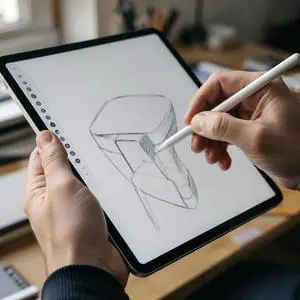
A tablet is a touchscreen slab that drops the fixed keyboard entirely. It weighs less than a laptop, wakes instantly, and runs a full day on battery. Reading, video, note-taking and schoolwork suit it best, while long typing sessions still push people back to a keyboard. In many classrooms the tablet has replaced the textbook rather than the computer.
Smartphone
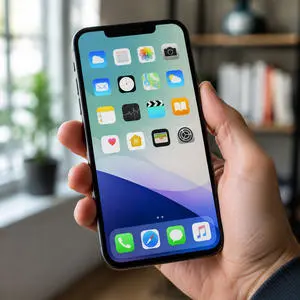
A smartphone is a complete microcomputer with a phone radio attached, and it is the most widely owned computer form in history. The device in your pocket carries more computing power than the machines that guided the Apollo missions. Since it also carries the camera, the map and the payment card, the smartphone became most people’s primary computer without ever being called one.
Wearable Computer

A wearable is a computer worn on the body. Smartwatches and fitness bands lead the class, with sensors that read heart rate, movement and sleep all day. A wearable rarely works alone; it pairs with the phone that does the heavier processing. Health tracking made the class mainstream, and medical-grade wearables now feed real diagnostic data to doctors.
Handheld Computer
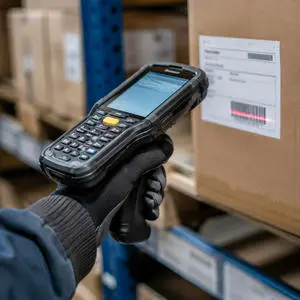
A handheld is a small computer built to be operated in one hand for one kind of task. Warehouse barcode scanners, delivery drivers’ signature devices and portable game systems all qualify. The class once centred on the PDA, the pocket organiser of the 1990s. The smartphone absorbed the PDA completely, but working handhelds survive wherever a tough, single-purpose device beats a delicate general one.
Types of Computer Based on Work
The next three types take their names from the work they do rather than from their size or shape. A workstation, a server and an embedded computer can share similar processors, and the job each one runs all day is what separates them. Two of the three work out of sight, which is why these three stay the least familiar of the twenty.
Workstation
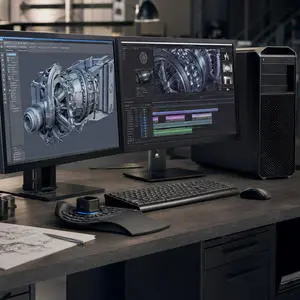
A workstation is a reinforced desktop for professional workloads: engineering design, 3D animation, scientific analysis and film editing. It runs stronger processors, professional graphics cards and error-correcting memory that ordinary desktops skip. HP’s Z series and Dell’s Precision line lead the class. When a rendering error would cost a studio a day of work, the extra hardware pays for itself.
Server
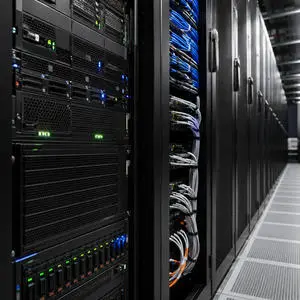
A server is a computer that spends its whole life answering requests from other computers. Every website you open, every file you sync and every game lobby you join runs on one. Servers stack by the thousand in data centre racks, run without monitors or keyboards, and stay on around the clock. Behind each everyday tap on a phone, a server somewhere answers within a fraction of a second.
Embedded Computer
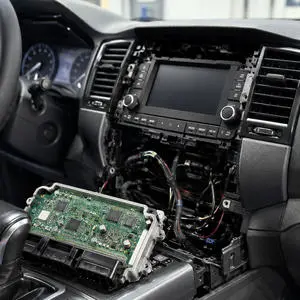
An embedded computer is a small computer built permanently inside another product to control it. A modern car carries several dozen of them, managing everything from the engine to the parking sensors. Washing machines, microwaves, thermostats and televisions each carry their own.
Counted by units, the embedded computer is the most common type of computer on earth. You interact with more of them before breakfast than with every other type combined, and you never see a single one.
Types of Computer Based on Purpose
Most of the twenty types are general purpose machines: they run whatever software you give them, from a browser to a spreadsheet to a game. The three below push in the opposite direction. Each one is built and tuned for a single kind of work, and each gives up flexibility to do that one thing better than a general machine can.
Quantum Computer
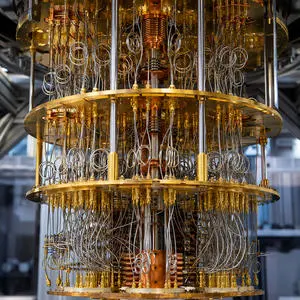
A quantum computer computes with qubits, which can represent several states at once, where an ordinary bit is either one or zero. IBM and Google run the leading experimental machines, cooled to near absolute zero inside their distinctive golden chandeliers of wiring.
The technology remains at the research stage. No quantum machine replaces an ordinary computer today, but for narrow problems in chemistry, materials and cryptography, the approach promises speed no classical computer can reach.
Gaming Computer
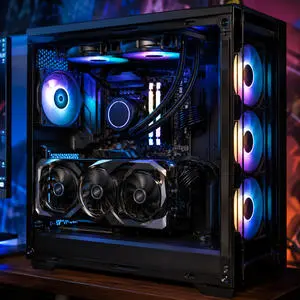
A gaming computer is a desktop tuned for one workload: rendering graphics fast. It carries a powerful graphics card, aggressive cooling and a high-refresh display, and its performance in games outruns an ordinary desktop at the same price. The same hardware profile made gaming machines popular for video editing and AI experiments, since all three workloads lean on the graphics card.
Single-Board Computer
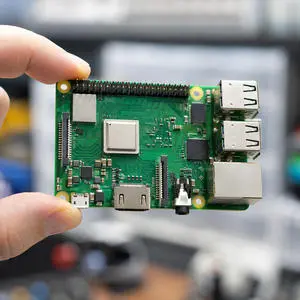
A single-board computer places processor, memory and connections on one small circuit board with no case at all. The Raspberry Pi, launched at 35 dollars, defined the class and has sold tens of millions of units. Schools use it to teach programming, hobbyists build it into robots and retro game consoles, and engineers prototype products on it before designing their own boards.
Supercomputer vs Mainframe vs Server
These three cause the most confusion of the whole set, because all of them are large, expensive machines kept in dedicated rooms rather than on desks. From the outside, racks of one look much like racks of another, and only the work separates them.
| Supercomputer | Mainframe | Server | |
|---|---|---|---|
| Built for | One enormous calculation | Millions of small transactions | Requests from other computers |
| Typical owner | National laboratory | Bank or airline | Any company with a website |
| Example | El Capitan | IBM z16 | Rack machines in a data centre |
| You meet it when | Reading a weather forecast | A card payment clears | Opening any website |
A supercomputer chases raw speed on a single problem. A mainframe puts reliability first across millions of small jobs. For a server, availability wins: it answers whoever asks, all day, every day.
FAQs
There are twenty types of computer in total: four classes by size, three by data handling, three by the work they do, seven everyday forms and three special purpose machines. Shorter lists reach smaller numbers by counting only the size classes or only the data-handling classes.
The 20 types of computer are the four size classes (supercomputer, mainframe, minicomputer, microcomputer), the three data-handling types (analog, digital, hybrid), and the three work-based types (workstation, server, embedded). The other ten are the seven everyday forms, from desktop and laptop to wearable and handheld, plus the quantum, gaming and single-board computers.
The difference is the workload. A supercomputer pours all its power into one enormous scientific calculation, such as a climate model. A mainframe spreads its power across millions of small business transactions, such as card payments, and is engineered never to stop. Speed defines one, reliability defines the other.
Yes, a smartphone is a full microcomputer with a phone radio attached. It carries a processor, memory, storage and an operating system, and it runs programs exactly as a desktop does. By ownership numbers it is the most widespread computer form ever made.
The three main types by data handling are analog, digital and hybrid. Analog machines measure continuous signals, digital machines count in binary, and hybrid machines convert analog signals into digital data. Nearly everything you use today falls in the digital group.
The embedded computer is the most common by unit count, since every car, washing machine and television carries at least one and a modern car carries several dozen. Among computers people knowingly own, the smartphone leads by a wide margin.
A computer becomes a server through its job, not its hardware: it answers requests from other computers over a network. Any machine can serve, but purpose-built servers run continuously in data centre racks without monitors or keyboards, engineered for uptime rather than for a person at a desk.
Yes, in the sense that every embedded system carries a processor running a program, which meets the definition of a computer. The difference from a desktop is scope: an embedded system runs one fixed job inside one product for its entire life, and its user never programs it.
You May Also Like